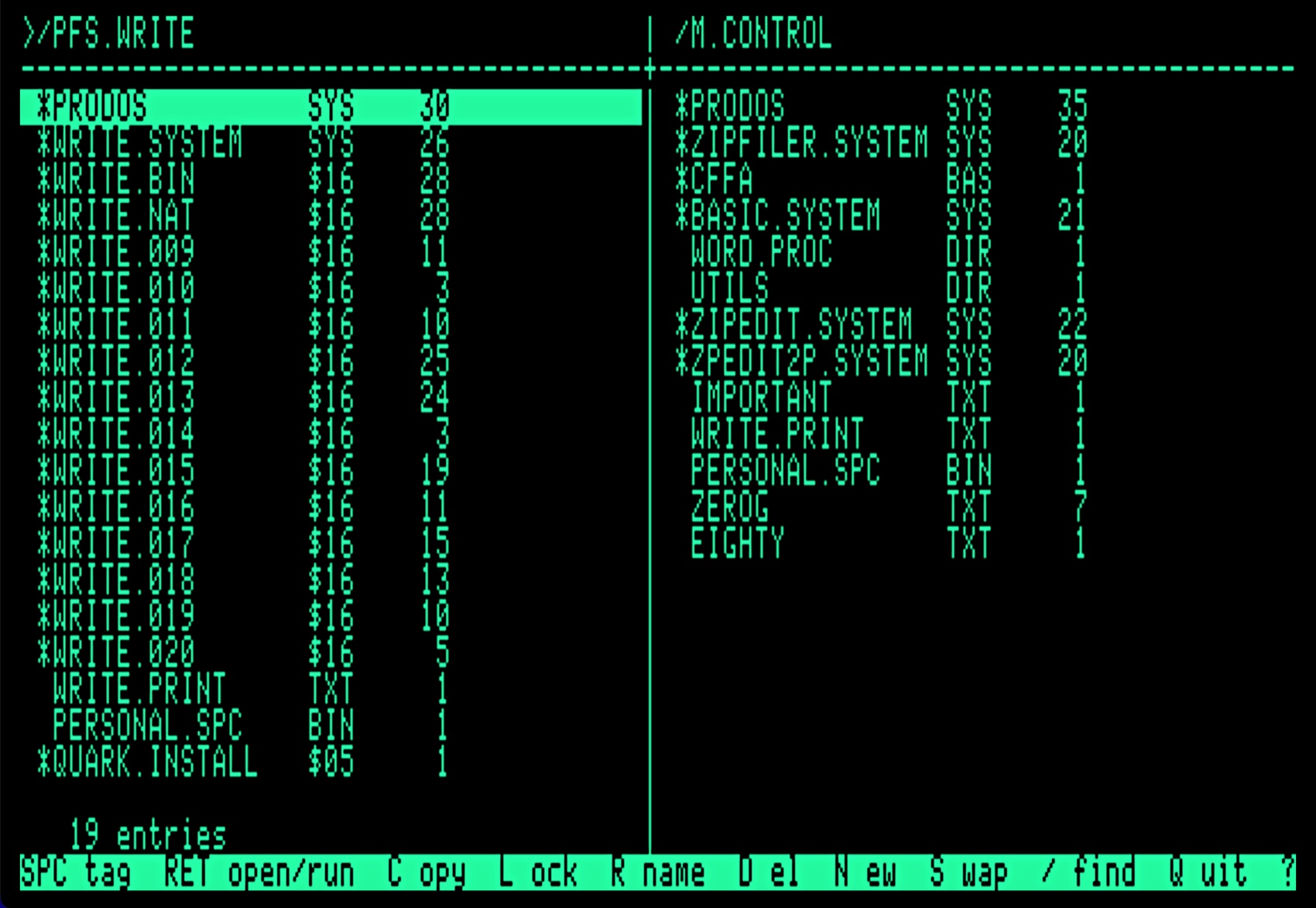
Never type another pathname.
A two-panel file manager for the Enhanced Apple //e. Both ends of the job on one screen, and single letters to act. Free, and it fits on one disk with room to spare.
Apple gave the //e a filer, and it works. You simply have to know where everything is before you start, and type it out from memory, one slash at a time.
ZipFiler shows you. Two directories, side by side, and the cursor keys to pick from them. A pathname never has to be typed — not to copy a file, not to move one, not to go three levels down.
The left panel is where things come from and the right is where they
go. S swaps them over when you want it the other way
round. That is the entire model, and there is nothing else to learn.
Commands are single letters, because a file manager you use every day should not ask you to hunt through a menu for the thing you do most.
Tag a batch of files using the space bar and a command will process the lot. Tag nothing and it acts on the line the cursor is on.

Copying a directory brings its contents, and everything below them. It is written flat rather than recursively — one directory open at a time, with the way back on a small stack — because the //e has 128K and a deep tree should not be the thing that runs it out.
Catalogs are read into memory once, so moving the cursor costs nothing and the disk stays quiet until you ask it for something. Nine thousand bytes of 6502 assembly, and no runtime under it.
Press RET on a program to run it, whether it's a SYS
file, a BIN or a
BAS program — which ZipFiler starts BASIC.SYSTEM for and
hands the name to, so it runs rather than dropping you at a prompt.
Press P and you'll see PR#. Type a number to boot that slot.
And if you like, quitting can come back to ZipFiler. A small patcher on the disk replaces the ProDOS quit routine on any volume you choose, so leaving any program returns you to ZipFiler instead of the default selector. The original config is kept, and the patcher can put it back at any time.
Your authorized Apple dealer will not be able to help you with any of this. There is, instead, a download button.
What it looks like on the machine.
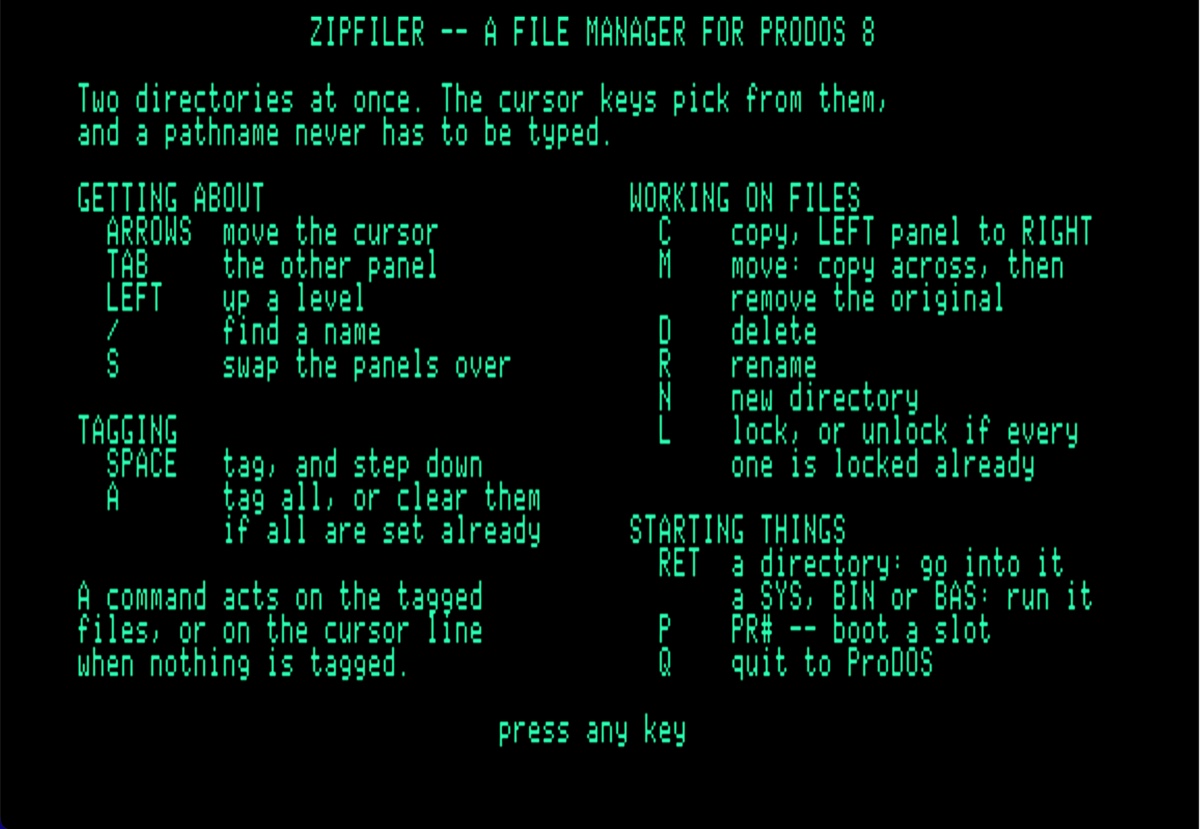
? and leave with any key.
There is no second page.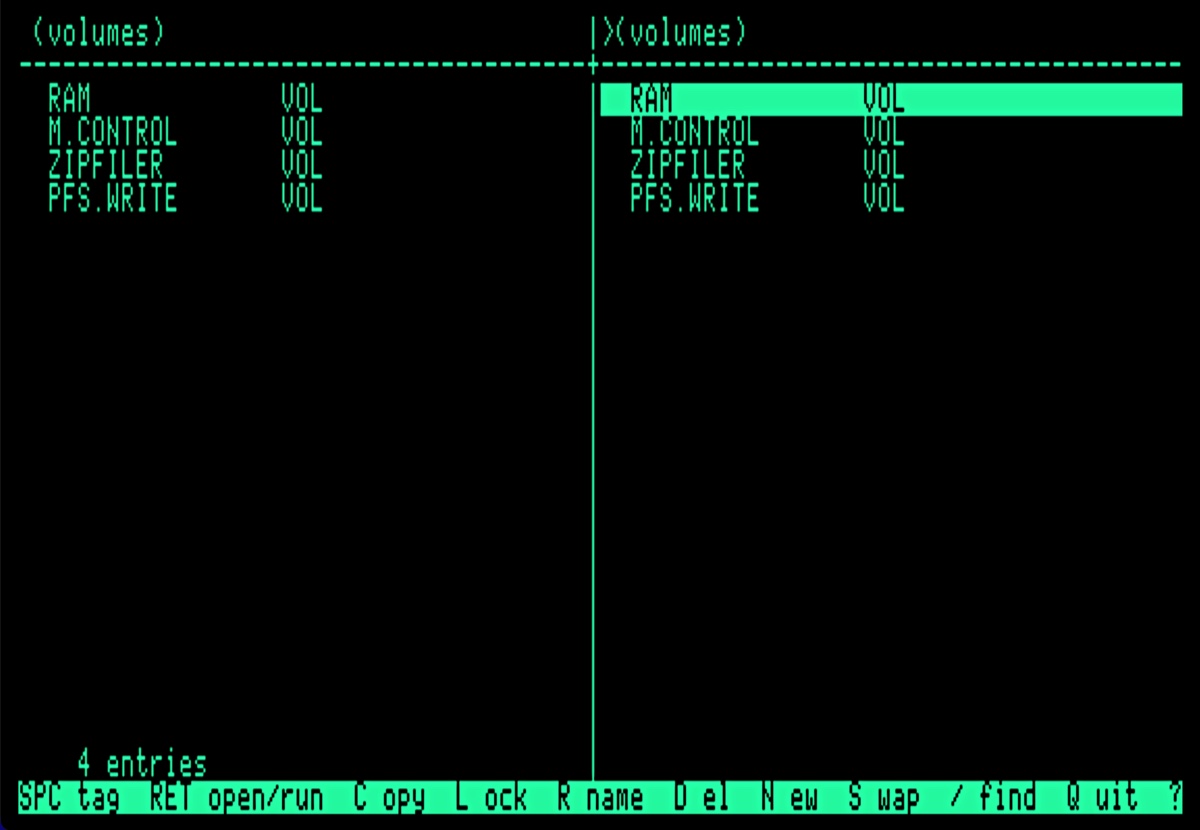
The keys, all of them.
- ARROWS · TAB
- Move the cursor; the other panel.
- RET
- Into a directory — or run a
SYS,BINorBASprogram. - LEFT
- Up a level. Out of a volume's root, the list of volumes.
- SPACE · A
- Tag one; tag all, or clear them if all are set.
- C · M
- Copy left to right; move, which copies and then removes.
- D · R · N
- Delete, rename, new directory.
- L
- Lock — or unlock, if every target is locked already.
- S · /
- Swap the panels over; jump to a name.
- P · Q
PR#to boot a slot; quit to ProDOS.
The particulars.
- Computer
- Enhanced Apple //e, 128K
- Or
- any emulator that behaves like one
- Operating system
- ProDOS 8
- Display
- 80 columns
- The program itself
- 9,229 bytes
- Volumes it will show
- every one on line, up to sixteen
- Disk
- one 5.25-inch, 143K
- Price
- none
How to get it running.
Put ZIPFILER.po on whatever you use to
feed disks to the Apple — a Floppy Emu, a CFFA card, or a real 5.25-inch
disk if you still have the means.
Boot it. ZipFiler comes up on the volume list, with every disk the machine can see in both panels.
Press ? for the keys. There is one page
of them and you will not need it twice.
If you want quitting to come back to ZipFiler, run
QPATCH.SYSTEM from the same disk and pick a volume. It saves
what it replaces, and R puts it back.
Copy ZIPFILER.SYSTEM to any volume you like - you don't have to boot it to run it.
Free, and always will be, under the MIT licence. If it saves
you an afternoon of typing slashes, that's payment enough.
The source is on GitHub.
More good stuff:
ZipEdit
Apple //e & ][+ · Free
The Markdown editor for the machine you already have. Eighty columns of green text, words that wrap as you type, and a file that opens on your Mac without any repair at all.
Have a lookTrack-O-Tron
iPhone · Free
The GPS track recorder that tells you a little more. Distance, time, altitude and speed, and interesting trivia, with the phone in your pocket and the screen locked. Nothing leaves the device.
Have a lookTimeline-O-Tron
Mac, iPhone & iPad
History deserves better than a bullet list. Build timelines worth looking at, keep them in step across your devices, and export them when they are ready to be seen.
Have a look