It’s silly to complain about the size of an e-Reader. My beloved 8th-generation Kindle Oasis is smaller than most trade paperback books and definitely lighter, all while maintaining the advantages of an e-reader. However, with winter here I can’t ignore that the Oasis doesn’t fit in all of my coat pockets, and since I don’t always have a bag with me, I often leave the house without the Kindle. If I find myself waiting in line at a store or facing some other unexpected delay, I end up reading things on my phone. Sure, there’s plenty of interesting stuff to read out there on the web, but I’ve got a big list of unread books I’d like to get through, and generally feel that the less time I spend in cyberspace, the better. I could put a reader app on my phone, but I prefer e-ink, and I like having a disconnected device when reading books.
Fortunately, there’s a new category of small e-ink readers. Boox got this market segment started with the Palma, but it costs far more than I want to spend on an auxiliary reader – I’ve no intention of giving up my Oasis for the bulk of my reading. But more importantly, the Palma isn’t that small. It’s larger than the phone that I carry, and it does more than just serve as an e-reader. It’s really just a large, e-ink phone that can’t make calls. However, over the last couple of months some really small e-readers have shown up on the market. By “really small” I mean this:
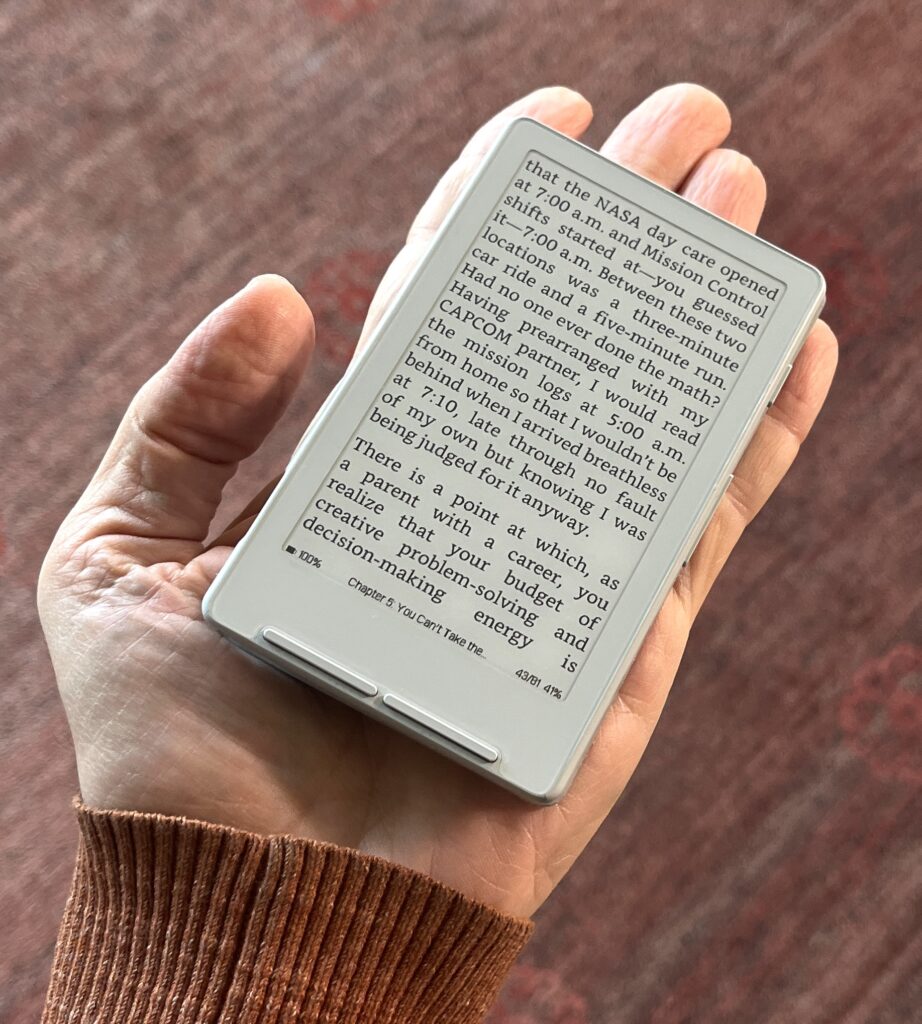
That’s the Xteink X4 which does nothing but act as an e-reader, and a very stripped down one, at that. No light, no touchscreen, and only $70. It’s smaller than my mini iPhone – and much smaller than a Boox Palma – so it will fit in any shirt pocket and certainly in any jacket pocket. For the last few weeks I’ve been trying out both the Xteink X4 and the OBook 5. They each have their advantages and disadvantages, but what they’ve got in common is that they both have demonstrated to me that I really enjoy having a second reader of this size.
OBook 5
I don’t know who makes the OBook. It comes from China but the only brand name I can find is just “OBook.” I got mine off of Amazon for $90. It’s got the same 4.26″ screen as the XTEink X4, but is a larger unit overall because of the addition of a headphone jack, and speaker. I suppose the idea is that you can use it for audio books. I will never use this capability so it’s frustrating that there’s not a smaller, stripped down version.
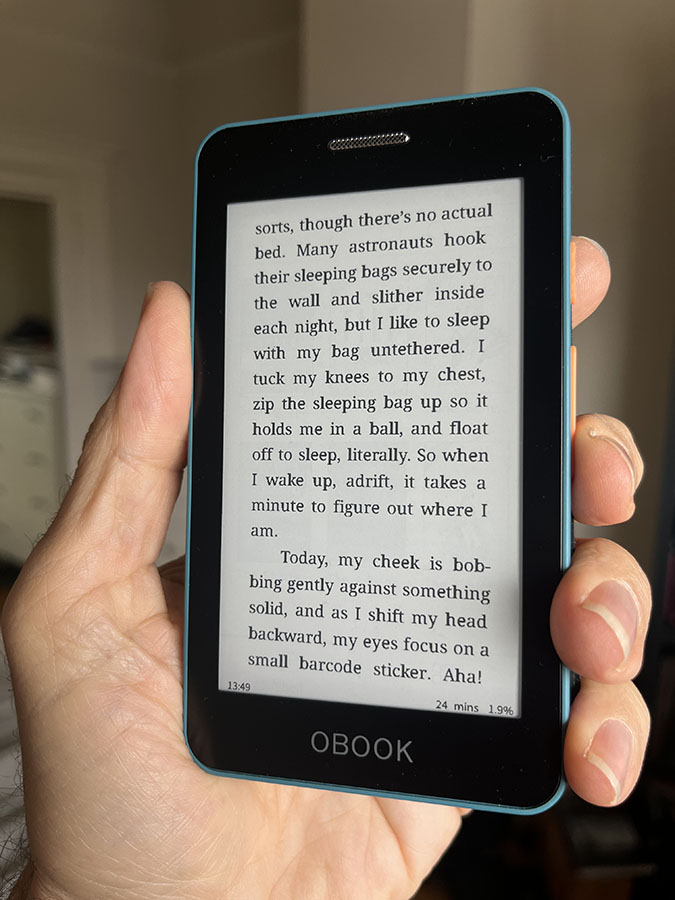
More significantly, the OBook has a lighted touch screen with an interface that’s streamlined and easy-to-use. In addition to page turning areas on-screen, physical buttons on the right side make it easy to hold and change buttons using one hand.
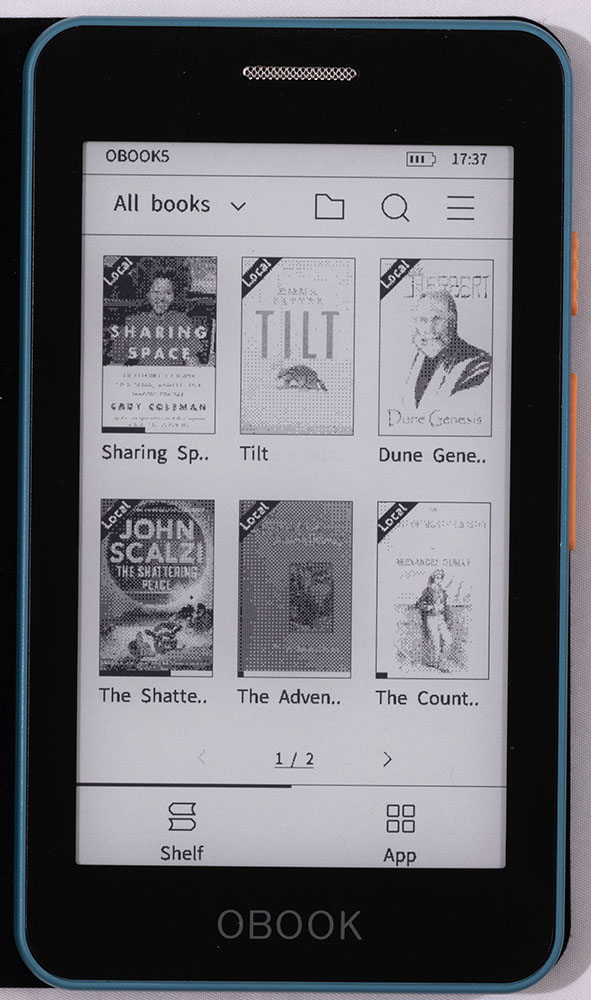
The OBook is a very complete, polished device. It can read all of the major ebook formats including Epub, mobi, and AZW3 as well as txt, RTF, HTML and Microsoft Word documents. Book files can be transferred over USB using the built-in Transfer app. When launched, the Transfer app mounts the OBook on the Mac’s desktop, allowing for drag-and-drop book installation (I haven’t tried it with Windows). Note that, every time I’ve done this, the Mac has shown a completed progress bar and then declared the copy a failure. If I ignore these warnings and follow up the copy operation with the OBook’s Import Book command, the book ends up in the device’s library with no problem.
The OBook includes WiFi and Bluetooth. Presumably the Bluetooth is for headphones, while the Wifi allows direct access to the Gutenberg Project via a built-in app. Like the Kindle, there’s no removable storage on the OBook but the on-board 32 GB of RAM should be far more than you need for any practical use.
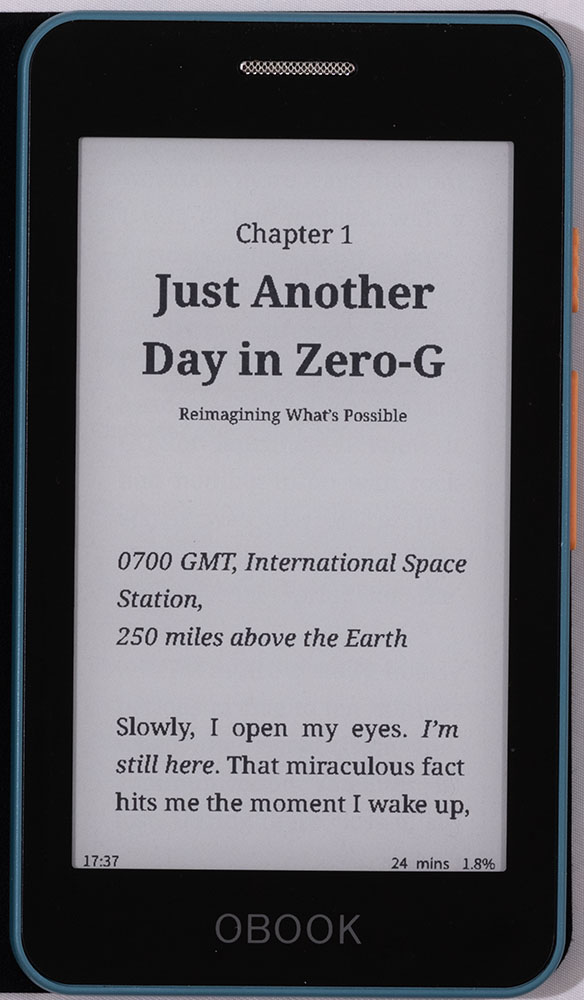
The screen offers excellent contrast while the sidelight is bright and provides 20 levels of adjustment. There’s no warmth control, but my Kindle doesn’t have one either, so it’s not a feature I’m used to. Like the Kindle, I find that I rarely need more than a few notches of screen brightness, which means I get great battery life. I haven’t run it to empty, but the OBook has lasted for weeks so far.
The screen’s refresh rate is very peppy and I rarely see ghosting. Like the Kindle, with every fifth or sixth refresh it does an extra thorough re-do, which results in a bit of a black flash, but even that happens very quickly. I have yet to find the performance of the screen to be a problem or distraction.
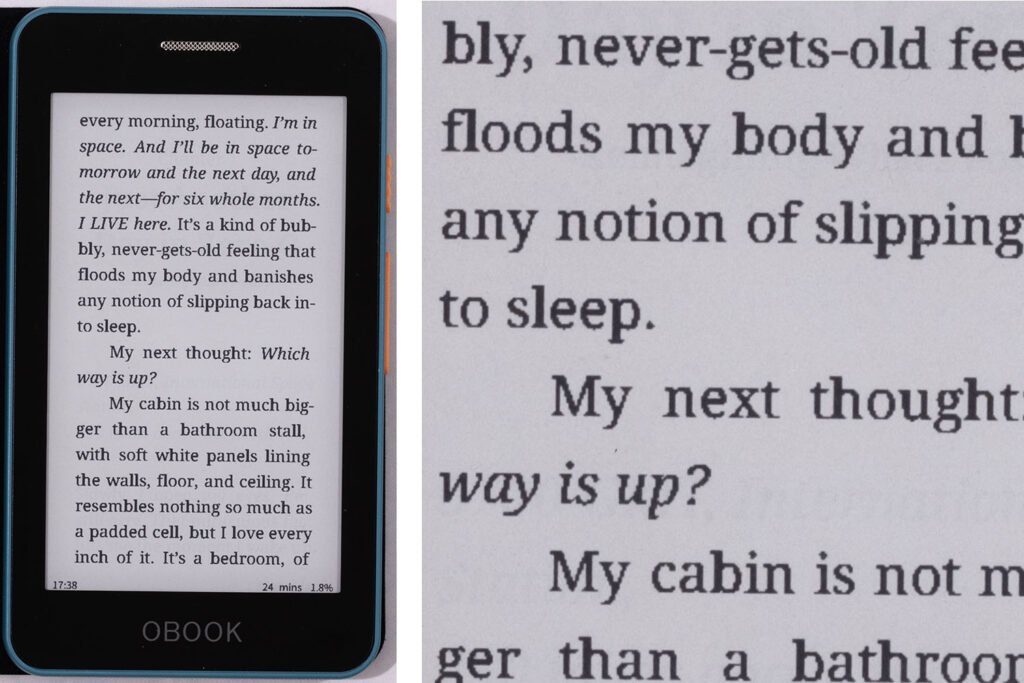
The biggest adjustment with the screen is that it’s a 1-bit display, which means the text is not anti-aliased. It definitely looks ragged compared to my Kindle. At first this was a little distracting, but now I’m pretty used to it. I wouldn’t want this level of text quality to be my only reader, but for the way I use the device, it’s fine. The fact is, it’s still better quality than reading, say, a used paperback from the early-70s, which will suffer from low contrast and rough pulp paper that leaves text with chunky edges.
The OBook 5 does allow you to change fonts and even offers themes but, honestly, I haven’t tried either because I’m fine with the readability right out of the box.
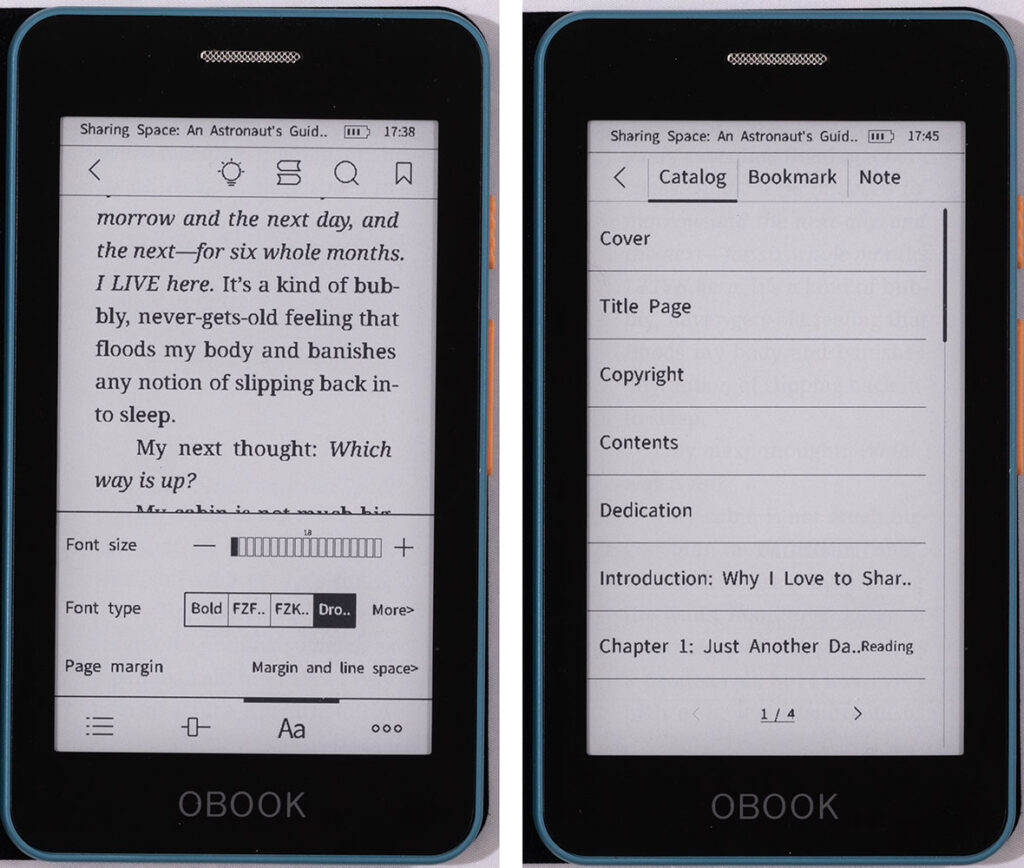
Bookmarks and notes are easily managed, but there’s no dictionary, and without predictive text, typing on the tiny keyboard is pretty rough. There’s a search feature, which I haven’t had great luck with, which is frustrating, since this is a secondary reader. While the Kindle offers numeric locations that indicate your position within the book, the OBook has nothing like that. So if I spend time in the evening reading on the Kindle and then take the OBook out the next day and want to pick up where I left off, a good search feature would make for easy syncing. Instead, I’m using the table of contents to get to the chapter I’m in and then quickly thumbing through pages from there. The device is fast enough that this isn’t a problem. If I can always stop reading at a chapter break, things are even easier.
Overall, the level of polish on this device is quite impressive. For example, the included folio-style case automatically wakes and sleeps the device when you open and close it. I wish it attached with a magnet rather than a sticker, but so far it’s been quite sturdy. For 90 bucks, I’ve been very pleased with the Obook 5.
Xteink X4
It was an ad for this device that turned me on to this tiny e-reader category in the first place. The X4 is not only shorter and narrower than the OBook 5, it’s also thinner so it feels much smaller.
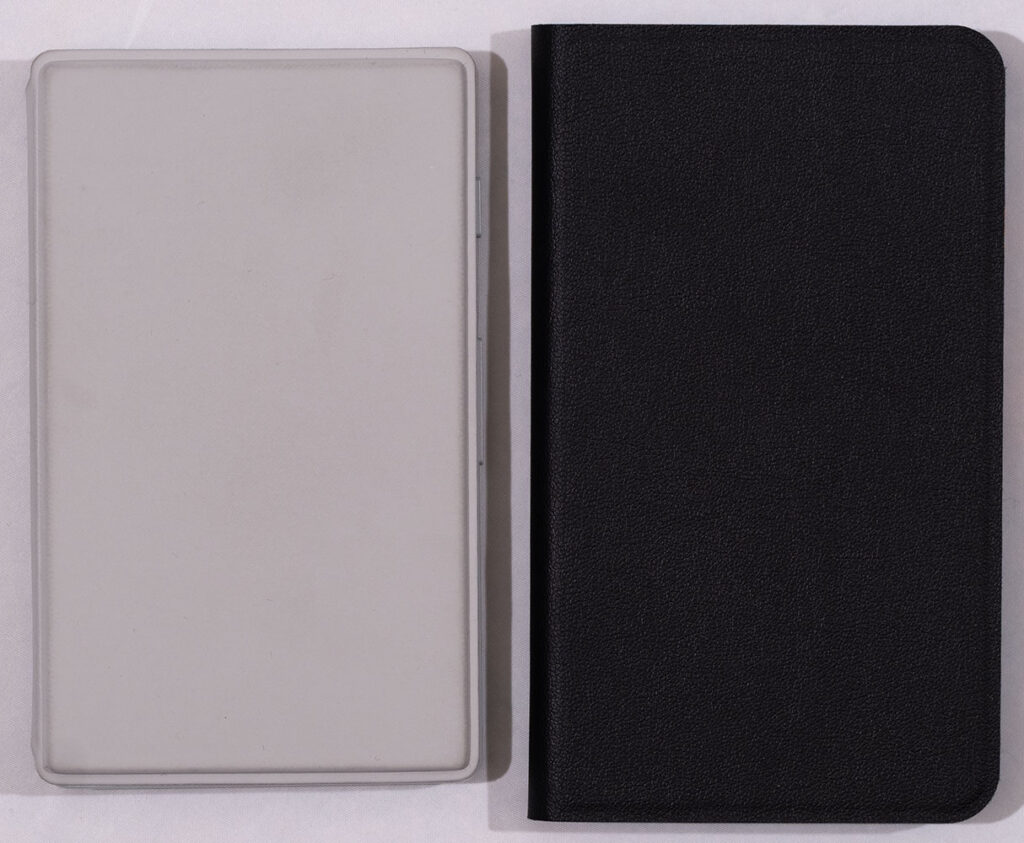
The main reason for the X4’s tiny size is that it’s built around an ESP 32 microcontroller rather than a full Arm processor like most e-readers use. While the ESP 32 means that the device has incredibly low power consumption – the battery can last for months – it also means that it can’t run a regular operating system. So, where the OBook runs some variant of Android, the ESP 32 has custom firmware that simply knows how to write images directly to the screen. There’s no application layer, like there is on a normal e-reader, so the X4’s engineers don’t have a lot of off-the-shelf software to rely on. That, and the fact that they’re a Chinese company that seems primarily focused on the Chinese market makes for some rough English-language usability on the X4. But, as you’ll see, this doesn’t have to be a deal-breaker.
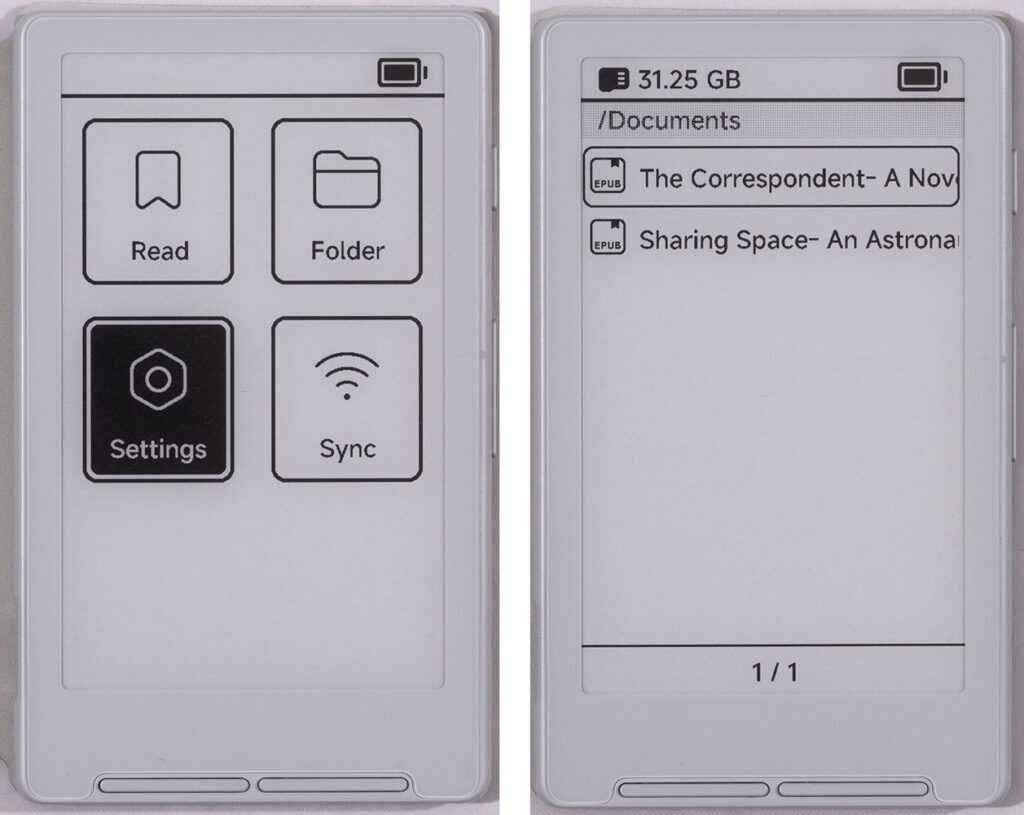
The X4 lacks a touch screen and relies entirely on two sets of buttons, one front-mounted and the other on the right side. Like the OBook, when you’re holding the X4 in your left hand, your fingers naturally land on the right-side buttons making it simple to turn pages. For navigating the menu system, you have to use the front buttons to steer a selection around. It’s not difficult, and you will likely spend more time in the reading interface – where you’ll simply use the side buttons – than you will in the browsing and file management interface. Overall, I did not miss the touch screen, as nice as it is to have.
In practice, I never missed the OBook’s side-lighting, either. When reading during the daytime in any reasonable lighting situation, the X4 looks as good as any paper. What bugged me was the possibility of getting caught somewhere dark and having a useless reader. What if the BART got stuck in the tube without power, for example. Has that ever happened to me? No. Can I even remember the last time I rode BART? No.
The more immediate problem with reading on the X4 is the page rendering. Here’s a pretty typical epub rendered on the device:
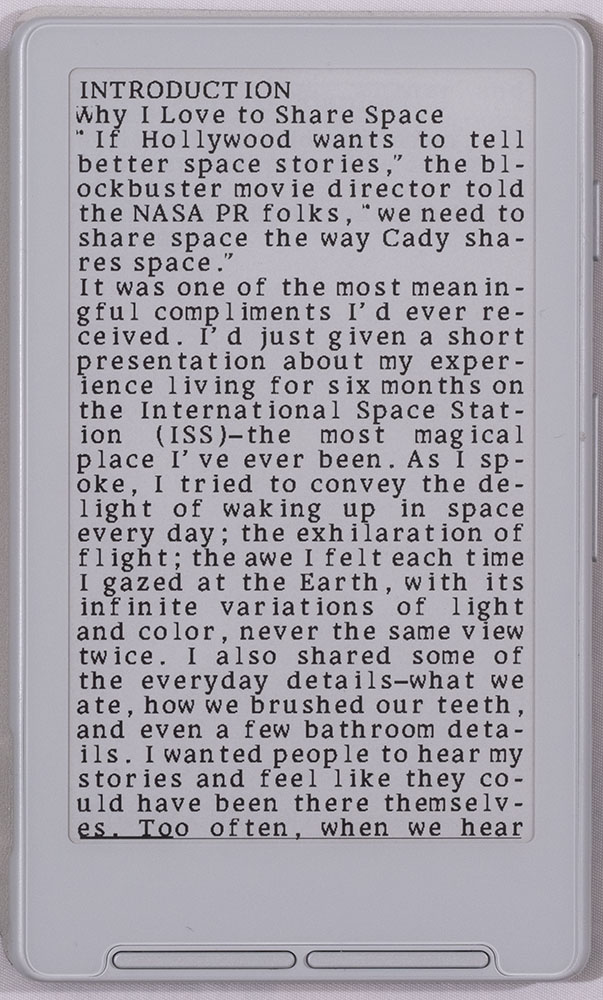
That typeface is not actually a monospaced font; the letter-spacing on the X4 is really that messed up. And wow, that’s a lot of hyphenation. What might not be obvious is that there are two paragraphs showing there. I’ve not yet found a way to get the stock device to show paragraph indents or breaks.
It is possible to install different fonts, though only through a community-led, on-line mechanism that works just fine and offers a lot of different faces. However, none of those typefaces fare any better than what you see here. It turns out that rendering an Epub (which is basically a bunch of HTML with style sheets) is computationally-intensive enough that it’s a bit of an ask for a small micro-controller like the ESP 32. Of more concern is that it’s not clear whether the X4’s makers have English page rendering as a high priority. Straight out of the box, my feeling is that the device is unusable as a reader. Fortunately, there’s an easy thing you can do once it’s out of the box to make it into a great little device.
Because it doesn’t have a real operating system there’s no need to “root” or “jailbreak” the device to get to its software innards. That ease of access has spawned a shockingly sophisticated user community around the device, and they are producing a number of hacks and firmware replacements for the X4. My mod of choice is a firmware replacement called Crosspoint. Requiring less than a minute to install, Crosspoint completely replaces the entire software experience on the X4 and renders a typical page like this:
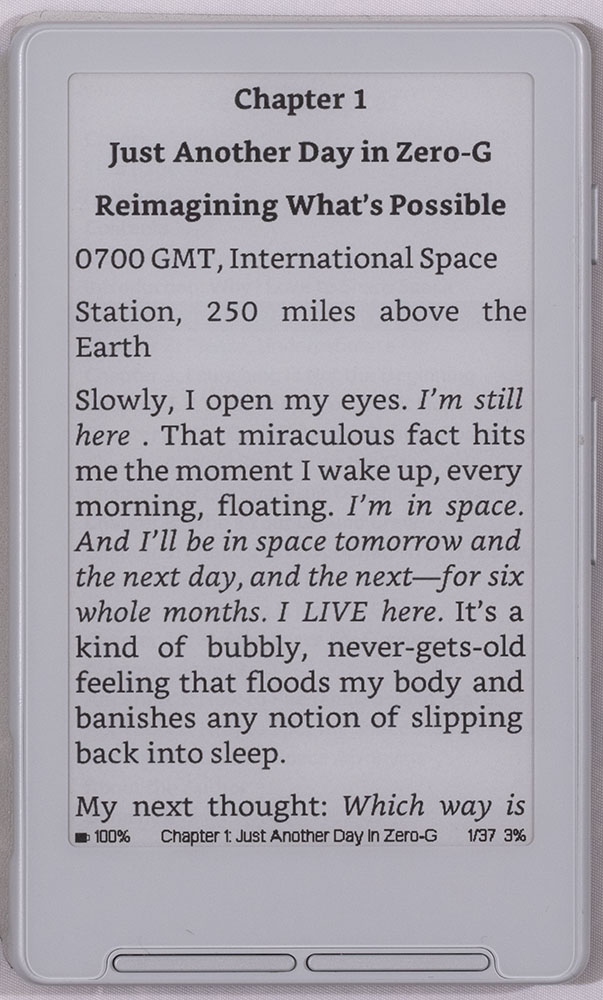
Correct letter-spacing, nice justification, no crazy hyphenation, and look at the edges of the text: anti-aliasing! This is all in version 0.6 of the software – which was available only a handful of days after the initial release. Things are progressing very quickly in the Crosspoint world. The latest version adds improved performance, greater stability, and over-the-air updates. Performance in the reader is great and I’ve read half of a book on it so far, and found it to be completely usable.
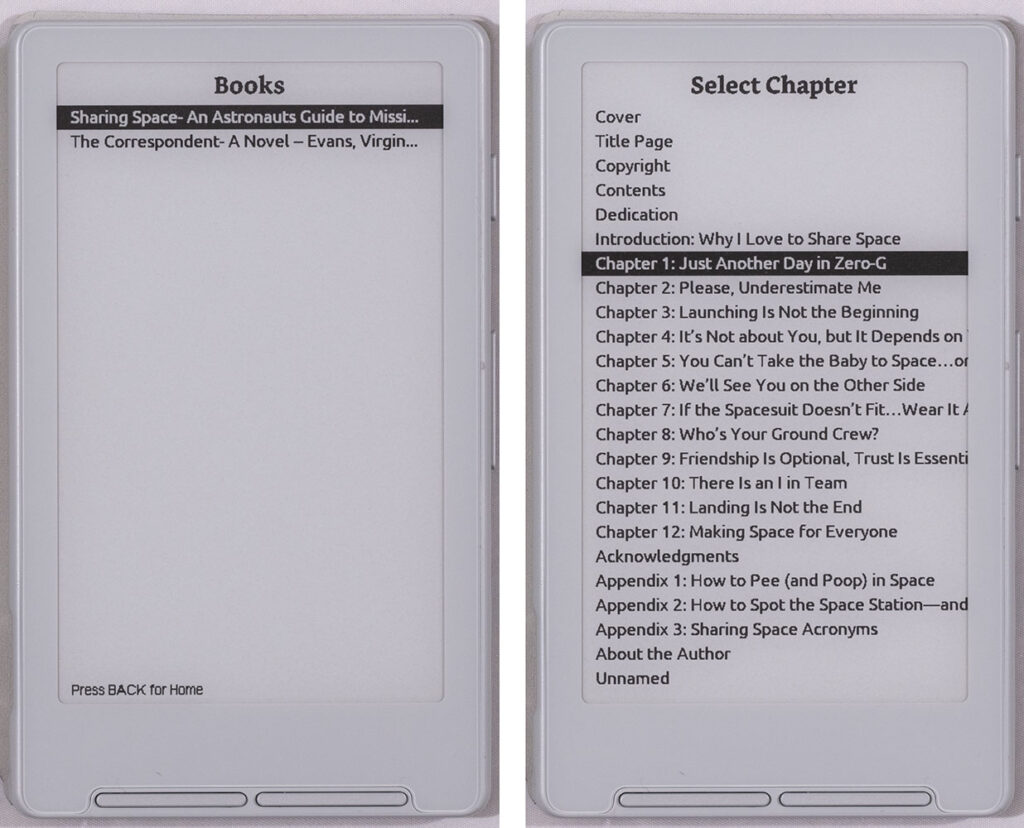
Because it’s not a finished system, file management is bare-bones but completely usable. Books are chosen off of a no-frills list, but the device does include chapter listings for Epubs. Remember, choices are not made by touching the screen, but by using the front buttons to move a selection highlight around. I’ve had no trouble moving back and forth between my Kindle and the X4.
In his Discord channel, the developer has said that some of the things that are on his list for upcoming features are cover thumbnails for book selection, and support for multiple typefaces and sizes. Right now you’re limited to a single face at a single size but I find it to be just fine for long bouts of reading. To install the firmware go to this page. You’ll find the project’s GitHub page right here.
Demand for the X4 is so high that ship times are pretty lengthy right now. I waited over a month for mine to arrive, but because it took so long, the company generously threw in a very nice case for free. It attaches via a magnet that’s built-in to the X4 and so is very easy to remove. That magnet features heavily in the marketing for this device, and shows people keeping the XT4 stuck to the back of their phones. When they’re ready to read they just flip the phone over. I had no intention of using it this way, which is good because the magnet’s in the wrong place for this functionality to work on my iPhone 13 mini.
There’s no highlighting or dictionary on the X4, and I doubt these – or note-taking – will ever be added. Without a touch screen, it’s not possible to make a reasonable keyboard of any kind. However, because I use these as secondary readers, I don’t find myself inclined to make highlights or notes anyway.
To get books onto the X4 – whether using the stock firmware or Crosspoint – you simply remove the SD card from the side of the device, stick it in your computer and copy book files over. A number of formats are supported, though I’ve only tried epub. When you stick the card back in, the new book will immediately appear in the list.
Like the OBook, the device has a low-power sleep mode, but sleep is not activated by closing the cover. You have to press and hold the power button to wake and sleep the device. While not as slick, this doesn’t bother me.
So which one?
If the Crosspoint firmware didn’t exist I would say this choice is very simple: buy the OBook 5 and start reading. But since Crosspoint is already so usable, and because I like the anti-aliased text, I’m using the X4 more than the OBook right now. Crosspoint is only going to get better so as long as I know I’m going to have ambient light around, it’s probably the device I’ll grab, when I’m not gonna take my regular Kindle.
All that said, you’ve got to do a little bit of work to get it running and you’ve got to use a button-driven interface instead of a touchscreen. If you want a completely finished, polished device, then the OBook is a better choice. AND you’ll get a backlit screen and automatic wake and sleep and other nice features. (Note that some features that the OBook has – like the ability to display the current time – won’t ever come to the X4, because it simply doesn’t have the right hardware.)
If you read a lot of PDFs, or books with lots of imagery, then these devices are not for you. Screen size alone is a deal-breaker for image-heavy works.
I ordered my X4 directly from the company. It also shows up on AliExpress and possibly some other retailers. There’s been some chatter in the related communities about the possibility of counterfeit units out there. I have no idea if this is a concern, but ordering directly from Xteink will avoid any confusion. (And no, I don’t know why they chose a company name that is pronounced “ex-stink.”)
Regardless of their individual features, what both of these gizmos show is that there’s great utility in a small, reading-specific, e-ink reader. A number of X4 clones are already popping up from other Chinese companies, so there might be even more choice available for these types of devices very soon. In the meantime, I’ll be reading.
–Ben Long
[UPDATE] Jan 7 – 2026 – As of last week, Crosspoint now offers multiple fonts and sizes. They look great!
Leave a Reply